

MEATER Pro Duo: Wireless Smart Meat Thermometer | 1000°F High Heat Resistance | Long Range | Dual Probes | Six Sensors | BBQ, Oven, Grill, Smoker, Air Fryer, Deep Fryer | iOS & Android App
$25.99
Related Products





Product description

Using the Pro Duo
The video showcases the product in use.The video guides you through product setup.The video compares multiple products.The video shows the product being unpacked. Meater Pro Duo Merchant Video
It’s as easy as 1,2,3. Just insert the MEATER probes, set up your cook on the MEATER app, and wait for the delicious results.
Built With Smart Tech to Make Your Life Easier and More Delicious 
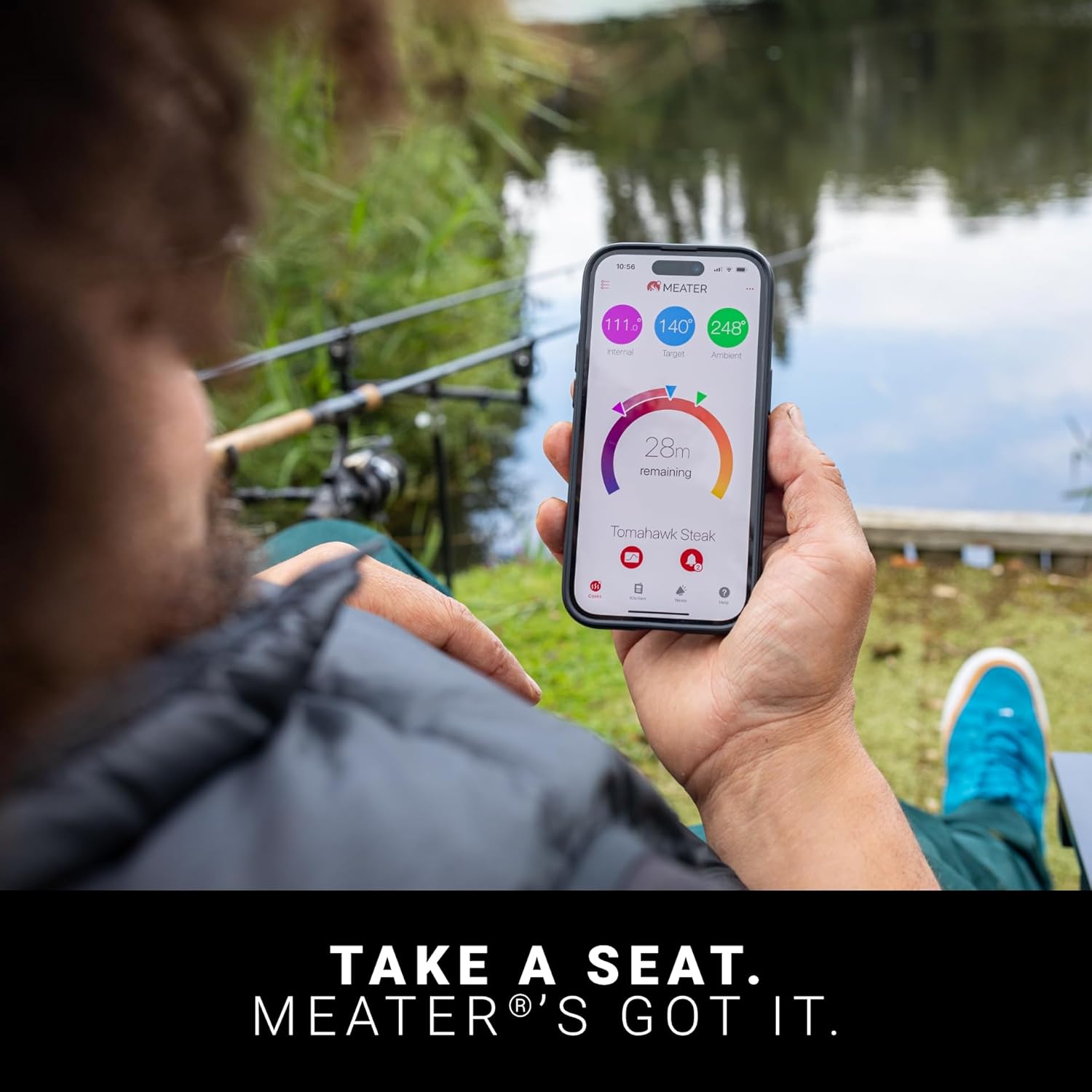
Our wireless thermometers seamlessly sync with the MEATER app, giving you real-time data, cook time estimates, and more.
 Join Our Connected Community
With built-in WiFi, monitor your cook anytime and anywhere.
 30% Thinner and 100% Waterproof
Sous vide cooking, small cuts of meat, or deep fry masterpieces. Dishwasher-safe.
 USB-C Powered Charger
A quick 30-minute charge gives your MEATER up to 24 hours of battery life.
 Smart Temp Multisensor Technology
Monitor both internal and ambient temperatures with fast readings and high-heat cooks.
 Stainless Steel Construction
Leveled up specs and durability. Built for precision cooking.
1 Wireless Connectivity
2 100% Waterproof
3 Fast Charging
4 Multisensor
5 Sensor
MEATER Pro Duo Lets You Cook Anywhere, Using Any Cooking Method 
From the oven and deep fryer in the kitchen, to the grill outside, MEATER is built to handle the heat.
 MEATER Master Class
Mouthwatering MEATER recipe tutorials all within the palm of your hand.
 Live Notifications – Anywhere, Anytime.
Take your smart home setup to the next level with Apple Watch and Alexa integration.
 Easy-to-find ingredients and cookware list
The app’s already made your list so you don’t have to check it twice.
 Guided cook system
With a video demonstration per step, the only thing we don’t show is how to eat it.
 Pro Tips from Pro Chefs
Go beyond the recipe, and learn expert techniques to wow your friends and family.
1 MEATER Master Class
2 Smart Connectivity
3 Built-in Checklist
4 Step-by-Step
5 Pro-Tips
COMPARE MEATERS
Add to Cart
Add to Cart
Add to Cart
Add to Cart
Add to Cart
Customer Reviews
4.0 out of 5 stars 811
4.0 out of 5 stars 4,088
4.1 out of 5 stars 513
4.3 out of 5 stars 49,061
4.3 out of 5 stars 49,061
3.8 out of 5 stars 7,359
Price
$158.95$158.95
$86.40$86.40
$243.95$243.95
$47.95$47.95
$66.49$66.49
$143.95$143.95
Range Booster
WiFi
Bluetooth 5.2
Bluetooth 5.2
Bluetooth 4
Bluetooth 4
Bluetooth 4
App-Free Monitoring
✘
✘
✔
✘
✘
✔
Maximum Ambient Temperature
1,000 °F
1,000 °F
1,000 °F
527 °F
527 °F
527 °F
Charger
USB-C (Charger Not Included)
AAA Battery (Included)
USB-C (Charger Not Included)
AAA Battery (Included)
AAA Battery (Included)
4 AA Batteries (Included)
Cook Time Estimator
✔
✔
✔
✔
✔
✔
Number of Probes
2
1
4
1
1
4
Charger Material
Bamboo
Bamboo
Bamboo
Plastic
Bamboo
Bamboo
Where can I download the free app?
When you’re starting to set up your Pro Duo, while it is charging, download the free MEATER App from the App Store or Google Play (if you don’t already have it).
Does the Charger/Repeater block need to be near by cooking appliance?
Yes! While the probe(s) are in the protein and cooking, you’ll leave the Block near your cooking appliance. Example: next to the grill but not on the grill. You will then be free to use your phone to monitor the cook from anywhere within wifi range.
How can I check my battery levels?
When connected, you can check the battery level of both the probe and charger in the MEATER app. Tap the 3 dots in the upper right corner of the app Dashboard. Choose “My Connections”. Tap on any component to see its battery level and other details.
What happens if my MEATER Pro Duo keeps disconnecting?
Make sure you’re connected to WiFi. If you find that your MEATER probe is disconnecting, don’t worry, the MEATER app has been built to handle all types of disconnections, which means, when you do reconnect your cook will update, & carry on as normal.
How can I make sure my Pro Duo is updated?
Make sure your app is updated on your phone. If you need to update, follow the instructions on the app after it’s updated and make sure your device and phone are next to each other. The Block will bling red throughout the update.
Product Dimensions : 3.78 x 1.81 x 7.4 inches; 14.82 ounces
Item model number : OSC-MT-MD201
Batteries : 3 AAA batteries required. (included)
Date First Available : March 2, 2025
Manufacturer : Apption Labs
ASIN : B0DNTVC2WD
Best Sellers Rank: #1,519 in Kitchen & Dining (See Top 100 in Kitchen & Dining) #22 in Meat Thermometers & Timers
Customer Reviews: 4.0 4.0 out of 5 stars (811) var dpAcrHasRegisteredArcLinkClickAction; P.when(‘A’, ‘ready’).execute(function(A) { if (dpAcrHasRegisteredArcLinkClickAction !== true) { dpAcrHasRegisteredArcLinkClickAction = true; A.declarative( ‘acrLink-click-metrics’, ‘click’, { “allowLinkDefault”: true }, function (event) { if (window.ue) { ue.count(“acrLinkClickCount”, (ue.count(“acrLinkClickCount”) || 0) + 1); } } ); } }); P.when(‘A’, ‘cf’).execute(function(A) { A.declarative(‘acrStarsLink-click-metrics’, ‘click’, { “allowLinkDefault” : true }, function(event){ if(window.ue) { ue.count(“acrStarsLinkWithPopoverClickCount”, (ue.count(“acrStarsLinkWithPopoverClickCount”) || 0) + 1); } }); });
Dual Monitoring: Monitor two different meats or cuts simultaneously for time and temperature. Ideal for diverse meals or cooking two proteins to different temps and preferred doneness, so steak night is great for everybody at the table. The ultra-thin design preserves the integretiy fo the protein and keeps them juicy. 5mm in diameter.
Direct WiFi Connectivity: Built-in WiFi extends range over your home network, allowing you to monitor your cook from anywhere within WiFi network range. No Bluetooth handoff. Setup takes just minutes through the MEATER app, ensuring reliable temperature monitoring. Make sure your MEATER app is up-to-date for the most recent firmware releases.
Plan Your Cook: The Advanced Estimator Algorithm estimates how long to cook and rest your food to help plan your meal and manage your time.
Easy to Use and Clean: Designed with simplicity in mind, the MEATER Pro Duo is easy to set up and use. It’s waterproof so you can sous vide and clean the probes in the dishwasher.
Cook with Confidence: With the MEATER Pro Duo, get access to the MEATER app and the Guided Cook System that provides step-by-step instructions and real-time alerts, taking the guesswork out of cooking. iOS version 15 & later. Android version 8.0 & later
The MEATER Pro Duo connects to the base via Bluetooth and uses WiFi to pair with the MEATER app for full functionality. Unlike the MEATER Pro XL, the Duo does not include a built-in display and cannot monitor cooks solely over Bluetooth without the app. The Pro Duo is designed for customers who prefer app-based control and WiFi connectivity, offering the same smart, guided cook experience in a smaller 2-probe format.
The Ultimate Gift for Men Who Love to Cook: Give the gift of precision with the MEATER Pro Duo, the world’s smartest meat thermometer digital for perfect results every time. This cooking thermometer takes the guesswork out of grilling, roasting, and smoking. Ideal for holiday gifts for men, dads, or food lovers who want a pro-level thermometer for cooking in their kitchen or backyard.
12 reviews for MEATER Pro Duo: Wireless Smart Meat Thermometer | 1000°F High Heat Resistance | Long Range | Dual Probes | Six Sensors | BBQ, Oven, Grill, Smoker, Air Fryer, Deep Fryer | iOS & Android App
Add a review

$25.99
Josh&Leya –
Worth every penny
These are AMAZING! They were worth every penny, well, every nickle now that no more pennies are being made (lol). Knowing exactly what was going on with my turkey breasts inside my oil-free, infrared fryer made this year’s Thanksgiving dinner flawless. I will definitely be expanding my Meater collection. I did have a short connection interruption, but it resolved itself quickly. I also liked the app interface and the fact that it gave me notifications when five minutes were left and when the target temperature was reached.Buy these and take your cooking and grilling to a whole new level.
GEG –
Excellent Kitchen Companion – MEATER DUO
I’m very pleased with my MEATER DUO! This smart meat thermometer has elevated my cooking experience. The app interface is well-engineered and incredibly easy to navigate, making it simple to monitor my cooking from a distance. The device charges quickly and maintains a strong connection throughout the cooking process. It works just as described, providing accurate temperature readings and notifications that take the guesswork out of grilling and roasting. Overall, I highly recommend the MEATER DUO to anyone looking to enhance their culinary skills!
CourtesyFlush –
Trouble connecting? Fixed… READ THIS!!!
This is NOT a 5 star product.My person opinion of the product is 1 or 2 stars. This is an updated review from my original 1 star review. MEATER reached out to me via Amazon Messages when I left my original 1 star review so look for that message in your inbox if you too left a poor review.Before you buy, take this warning however you wish:MEATER claims this is not the normal behavior for their product. They also, however, would not offer me a refund or product replacement at any point in the product support and troubleshooting process. So, I am still stuck with the broken product that I purchased even though it is on their own admission not functioning correctly. If you’re stuck with malfunctioning probes that refuse to connect to the app like the ones that I purchased. This could be your fix.At the bottom I’m including instructions on how to regain connection with the probes for anyone that ends up having connection issues.::: The Good :::Probes as a temperature monitoring system work excellently. The temperatures are extremely accurate. You’ll get the juiciest chicken, perfectly cooked steaks, and a ton of complements from your friends and family on how ‘great of a cook’ you are. The app tracks the cook, tells you when to remove from the heat, accounts for resting times, and has neat little graphs and other features some might find useful. It makes it easy to nail a target temperature for that perfect rare, medium rare, medium well temperature that the people you are cooking for desire. The internal temperature sensors use the lowest internal temperature to ensure that all parts of your meat reach the target temperature, so you do not under cook. You can also manually pick a different sensor at a higher temperature so you will not overcook. There’s a lot of flexibility during the cooking process that is well thought of and intuitive. In the end, when they work, you’ll love them.::: The Bad :::Connection issues galore. A terrible app interface that lacks important features. No product manual or instructions. No in app troubleshooting abilities. The apps own advertised ‘Cloud’ monitoring is broken, required to cook, and frequently offline which prevents you from even being able to cook. Misrepresentation of advertised features and capabilities. Blatant False Advertising.::: The MEATER Experience :::I had a lot of back-and-forth communication with MEATER support before I was finally explained how to get the probes to work consistently.They do not work exactly as advertised and they have some crucial app and hardware limitations that prevent the probes from even connecting. This is where I believe a LOT of the negative reviews for the product stem from. This process should be explained and be built into the menu as an easy to find and click troubleshooting option, but it’s not.The solution is buried in what is quite literally a secret button in one of the menus and there is no documentation that this menu exists nor is there any explanation of how to use it to fix connection issues as they arise.I don’t know if this is by design, to prevent people from accidentally doing it but whatever the case is… Accidentally hitting a button is one thing. Intentionally hiding a button that can fix the issue, is entirely another. It’s very frustrating. And I shouldn’t have to have a dozen back and forth messages through their support channels, and an extremely long support conversation, to finally find out how to get the probes to work. It’s an exhausting process which could be solved with a single menu option.Next. You cannot “cook anywhere” with these probes. Their cloud service is down a lot, and in my experience doesn’t seem to do anything when it even is working. It’s just there and required for some reason. Losing connection to the cloud mid-cook will and does occur, but it doesn’t seem to affect anything, and you can still finish your cook without issue so long as you stay within range of the Wi-Fi signal. This really makes you wonder why you absolutely need a cloud connection to even start cooking.More importantly: A Wi-Fi connection, from a separate device, is required for the probes to work. If you’re on the go, backpacking, camping, etc. and using your phone you must have another device present to hotspot to. Having your own hotspot from your own phone/device with the app on it will not work. The probes, charging block, and your phone/device all must be connected to the same EXTERNAL Wi-Fi connection. The connection also MUST HAVE an internet connection. The 2.4Ghz signal alone will not work as you also need the cloud connection to the internet to start cooking.Which also means, unsurprisingly, if you lose your Wi-Fi signal, or idly walk too far away, you’ll lose track of your cook when that happens. It doesn’t come back when you reconnect either. You’ll have to stop your cook, and re-pair the probes. Which is quite literally impossible in most cases due to being mid cook and to do it you need the probes and charging block in hand for the process. Basically, you’ll have to remove the probes from whatever you’re actively cooking and, very carefully as to not burn yourself, re-pair them. It severely limits your range when cooking to just the cook area itself.Next, every time you go to connect to a new hotspot, a new home or business Wi-Fi connection, or other wireless signal you must completely unpair, remove the devices from the app, reset your charging block, and go through the whole setup process again. This is even the case if you’re using the same hot spot with the same device as a previous cook only a few days earlier.This issue stems from something in the network settings that gets saved to the charging block itself, even if it’s the same network name and device. (IP, DNS, something technical gets changed, ect.) Once it’s locked onto a connection, that’s the connection it will always search for and will not expand its search for similar devices. It’s just locked in and only remembers those exact settings.This was the most frustrating part of getting the probes to work as there are no instructions included, and the support instructions on the MEATER website do not explain how to do this part or even have a single mention of it anywhere. It simply cannot connect to the probes or charging block. And trying to re-add the devices to the app just results in the app saying to “Charge your probes and try again later.” It’s really kind of angering when you know the probes are fully charged and there’s no additional instruction or troubleshooting steps provided.If you’re having this problem, I can say: Once you get used to doing the steps, as I detail below, it only takes a minute. But with no instructions from MEATER on how to do this, I spent literally hours going through all the menus dozens of times, all their support articles, changing a ton of settings on my phone that the website and support staff told me to try, all to no avail. There are no hints as to what the problem was other than to be told to “Charge my probes” that were already fully charged.::: ::: THE FIX ::: :::So, for those reading… Sorry the MEATER team has clearly failed you just as badly as they failed me. I too was suckered into this product by its flashy advertising and “Pro” labeling as an upgrade to their originally very successful product.However, this is how you get your probes that are stuck in a disconnected status, to reset, re-pair, and reconnect. The process should take a minute at most. I hope this helps.::: The Unpairing Process :::Connect to the Wi-Fi signal or wireless hot spot.Go into the MEATER app.Click the three dots on the top right and hit My Devices.Find where it shows “My Paired Extender Devices”.”Long hold” on the area that shows ‘Pro Duo’ and ‘Disconnected’ (This is the secret button).A secret menu will pop up asking if you want to un-pair your device.Hit yes.Exit the app.::: Block Reset Process :::Make sure both probes are in the charging block.Flip it over and on the backside there’s a button.Press it and hold it in for 5 seconds then release it (This resets the block to erase your previously saved Wi-Fi connection details).::: Re-Pairing Your Probes :::Go into the MEATER app.Click the three dots on the top right and hit Add Devices.Follow the on-screen instructions that the app gives you.Note: You’ll have to do this every single time you try to cook and are having problems with connection issues.Also don’t bother with changing your phone settings. I undid all of the settings the support articles told me to try and it still works. Just following these steps fixed it for me.::: ::: ::: ::: ::: :::::: Conclusion :::The app could be greatly improved with better instructions, troubleshooting steps, and a simple button that would just reset the connections and attempt to reconnect. Even though MEATER claims that my product doesn’t work correctly, it’s astonishing to me that MEATER would not have thought about this when making their product. And as widespread as the issue seems to be, it’s surprising that they wouldn’t include something in their support articles.This is a perfect chance to remind product developers. “Don’t fix it if it isn’t broken.” My friends with the MEATER Plus all have no issues with their product and love it. This problem seems to be limited to only their new “Pro” product line and somewhat in relation to new ‘features’ that were introduced with it.So, with all that, I would have loved to have given a 5 star product a great review and all 5 stars that it deserves. But I can’t review based on the shiny exterior, great packaging, cool certification cards, ect. When you’re paying $150-200 for a product, you don’t really care about all the flashy things, you just want a product that works.It’s disappointing being stuck with shiny metal toothpicks that don’t work as advertised and disappointing that MEATER couldn’t help me replace them even though to their own admission they are not working correctly. However, when I do the above steps the probes work great, my cooks are spot on, and now that I know how to get them to connect… I love using them.All of that is unfortunately overshadowed by a long, painful, and frustrating troubleshooting and support process getting to a point where I was able to use the product. One that, when it comes to this brand, I won’t soon be forgetting.Thanks for reading.
Evan A –
“The Best” Thanksgiving Turkey
First time worked like a charm. The greases made cleaning a bit of a pain for the parts of the probes that were exposed. I didn’t soak them in water. Syncing was a bit tricky. I followed the process but didn’t have any luck with syncing the probes with the app. If you have similar issues, try rebooting your phone and starting things over again. I didn’t have any issues of being about 15ish feet away. The base needs to be at least reachable distance between you and the probes, as they sync with the base/case and your phone syncs with the base/case.
Christopher L George –
The best wireless thermometer that I have used
These are excellent wireless meat thermometers! I had a Chef IQ that constantly lost WiFi connection, despite being right next to a router. These do sometimes loose connection but not often. When they do, they quickly reestablish connection. The app is way better than any other app out there! It lets you monitor ambient temp in addition to the temp of the meat. It provides excellent estimated cook times and adjusts quickly based on temps. This is a life saver when you are trying to plan to eat/rest at a certain time. Customizable alerts can be set, grill flare up can be detected, and there are videos showing how to insert the probe for virtually every type of meat that there is, once you tell it what you are going to cook. I highly recommend this thermometer and the features are 10/10! One star taken off for the sometimes loss of WiFi but from what I see almost every thermometer does this. The fact that this one reestablishes connection immediately makes it way better than others.
Robert W Brown –
Way better than the original MEATER probes
I had 2 of the original Meater probes and was never happy with either one, they always ran 10′ above what I had set, but I dealt with it. These new probes are much more accurate, but I still set my probes 5′ lower than what I want. Not because of the probes, because the meat is going to cook about another 5′ after removal from heat. I’ve only used them twice and using my method the meat turned out perfect, and that was Pork Chops that can go from tender and juicy to tough and dry in seconds. My only problem with these is initial set up, but once you’ve got it, they’re excellent. One other complaint is it’s hard to clear one cook and set the next.
WCoatney –
Makes everything easy when it comes to cooking meat
Great product. Wife is one of those people that wants everything well done. That leaves a very small window between dry and moist. With the MEATER we hit the sweet spot every time.We were in charge of the family Thanksgiving turkey for the first time this year, using the MEATER took all the uncertainty out of the cook and everyone raved about how good the turkey was.Brother in law is a big bbq/grill/smoker of meat and swears by his MEATERThe MEATER app will walk you through the cook if you need it.
DB –
Che dire su questo prodotto? Se avete un rene da vendere fa il caso vostro,io da appassionato griller non potevo farne a meno,credo sia il top ti gamma,l’app forse è migliorabile ma fa il suo lavoro,la sonda da temperatura al cuore vicino e esterno in un unico stiletto,la sua batteria ricaricabile ha buona durata,la portata wifi non è eccezzionale occorre una buona copertura inoltre se avete barbeque e chiudete il coperchio la sonda a volte si sconnette dalla base anche se in prossimità dell’apparecchio,in questi casi la sonda a filo risolve meglio.Tutto sommato consiglio vivamente ai malati di griglia questo prodotto,buon appetito!
KevCol –
Easy to set up on the app and use. Takes the guess work out of cooking. Finished exactly as we wanted it!
Alex –
Ich liebe das Teil. Es macht einfach Spaß damit zu kochen, sehr präzise und dank WLAN habe ich im Vergleich zu meinem 1. Meater eine deutlich bessere Connection und kann im Haus rum rennen ohne Abbrüche. Super!
Per Carlson –
Super nöjd. Bra app och med den höga temperatur tåligheten känns det säkert att köra på kolgrill etc.
Maurice –
Dure probe’s maar moet wel zeggen dat ze erg goed hun werk doen tijdens onze Kamado sessies.De kerntemperatuur wordt op 5 plaatsen gemeten en dus zichtbaar, hier kun je dus mooi mee spelen om de perfecte garing te krijgen.